TrapTrack is a simple, GPS-enabled app that helps lobster fishermen keep track of their traps, log catches, and manage trips more efficiently.
All prices are estimates. Features included in each package may change as we continue to develop TrapTrack.
| Software | ||
|---|---|---|
| Free | Basic trap logging and GPS features | $0 |
| Standard | Full trip tracking and email reports | $100/year |
|
Premium 2026 testing |
automatic tags (auto GPS logging when setting traps) | $1000/year |
| Hardware | ||
| Tablet |
1. Use existing computer 2. Android tablet (4G has build in GPS) |
$- $450 |
| Trap beacons |
1 per bunch minimal, but multiple is possible |
$14 each |
| Tempature beacons |
|
$34 each |
| Lobster slide |
Count lobsters, get 2 for a dual catch number |
$10,000 (in 2026) a lot cheaper in 2027 |
| When | What |
|---|---|
| Q3 2025 |
Due to GPS USB issues with the Windows tablet, we moved fully to Android to avoid those problems. The app is now cross-platform on Android and Windows, and we hope to add Apple support if there is enough interest. |
| Q4 2025 | Sell "investor" packages to create funding and create a short-list for testers |
| Q1 2026 | Develop Beacons |
| Q2 2026 |
Test Beacons Test Lobster slide |
| Q3 2026 | |
| Q4 2026 | |
| 2027 | |
| 2028 | |
| 2029 | |
| 2030 |
It would’ve been cool to use the slogan “Built for Fishermen, By Fishermen”—but that wouldn’t be true. I’m not a fisherman, and I think it’s only fair that you know that.
TrapTrack actually started as a very simple idea: just replace the old scribbler. We had no plans to sell it; it was just supposed to be a small tool. But after a couple of weeks, things really started to come together. One feature led to another, and before long, what began as a hobby project grew into a working app that other fishermen could actually use.
We don’t claim to be the best out there, but we are flexible and quick to adapt to what fishermen are looking for. On a calm day, anything feels possible—but on a cold, windy day, it has to be simple and to the point. That’s what we’re building for.
We’re always open to suggestions and ideas. We can’t promise to implement everything, but if it makes sense and the possibility is there, we’ll do our best.
| Idea | What | When |
|---|---|---|
| Phone / Tablet |
Due to issues, the Android platform is now launched. |
2025 |
| Analysis | Focus on analyzing the data from the web (paid version). | 2026 |
| Lobster slide |
Counting lobster while they go for a fun slide | 2026 |
| Depth Maps add-on |
Integration with depth maps to replace current expensive software. ~60% complete. | 2028 |
To everyone interested: we are currently in “Better Than Nothing” BETA. If you’re willing to accept that things might fail on any given day, this might be for you. So far we’ve had two great seasons with one active user, which promises us nothing — but gives us hope for the future.
Start TrapTrack on your tablet or computer.
Green button in the Trip tab.
start the trip before you leave the harbor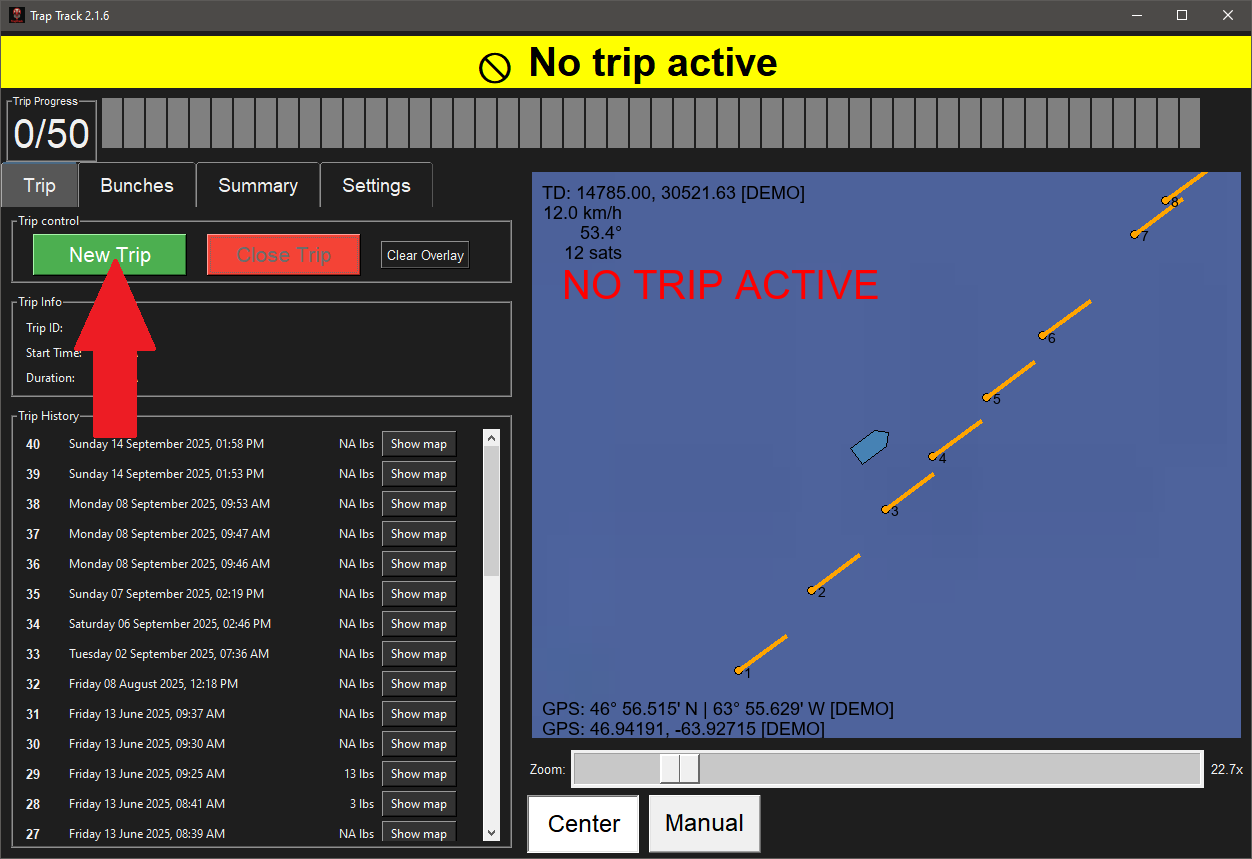
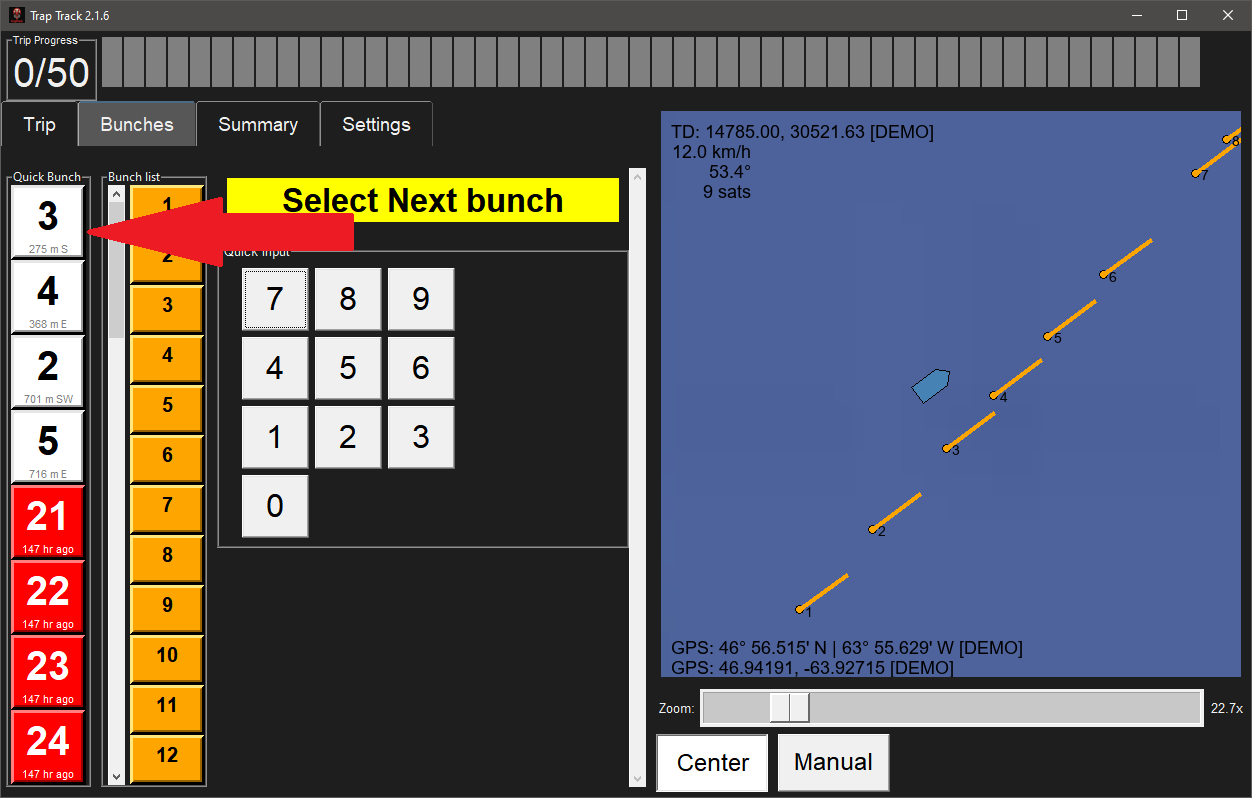
Based on GPS location it will give you a sugestion for the 4 closest bunches
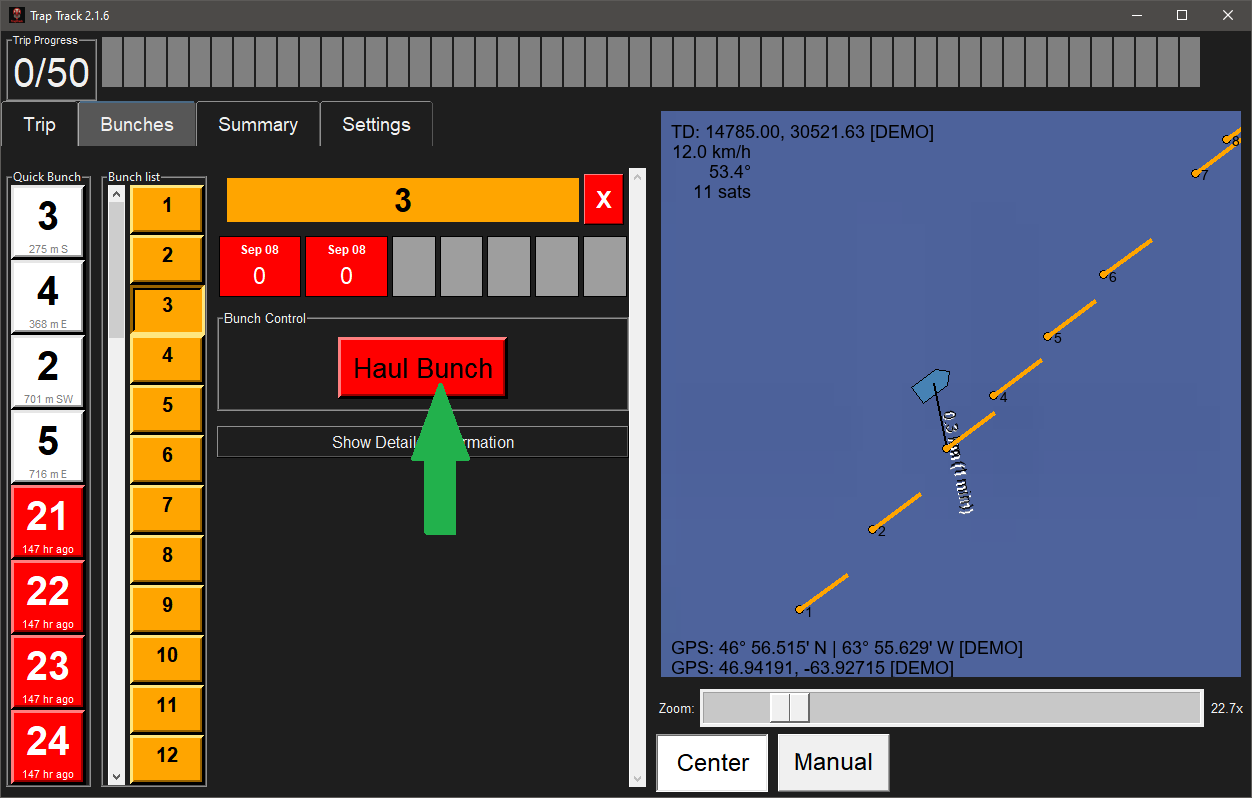
haul bunch to take the marker of the map and flag the bunch as on the boat
Record the quantity of lobsters
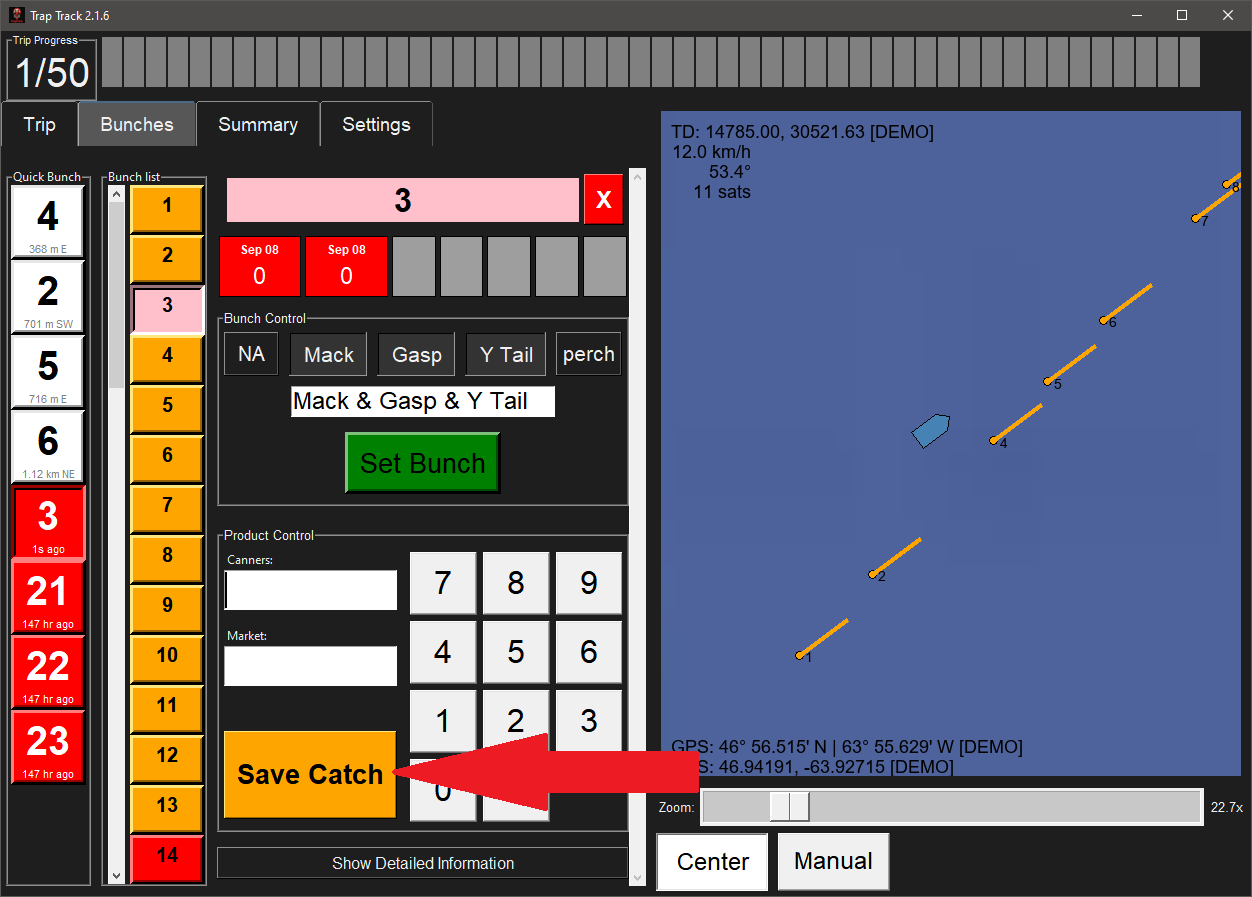
Set the bunch when it goes back in the water to record the GPS location
When moving gear, the red buttons on the side keep a log of everything on board.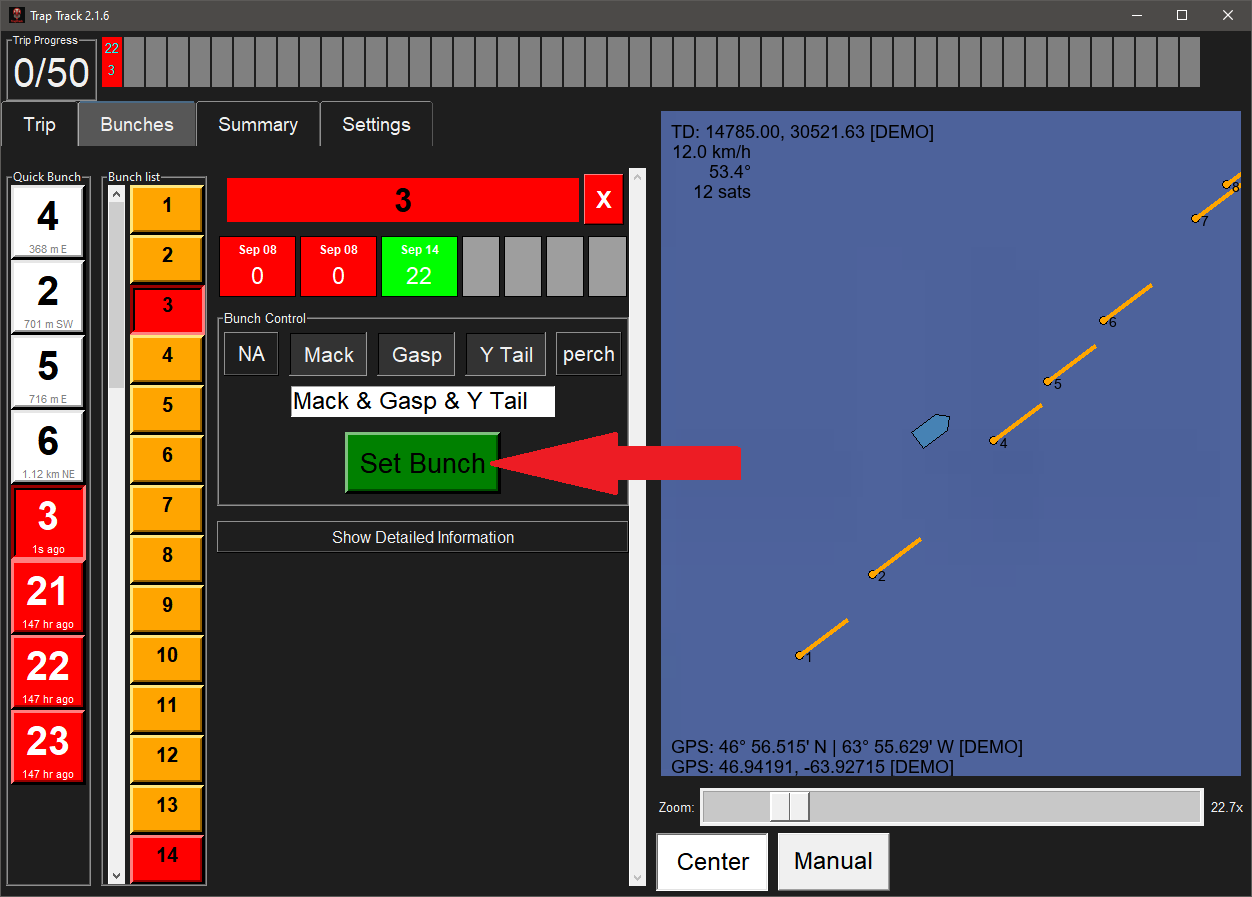
Want to stay in the loop? Enter your email or phone number and let us know if you’re interested.